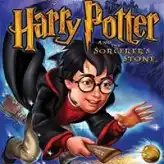
Harry Potter and the Sorcerer's Stone
Step into Hogwarts, learn practical spells, and use them in exploration, combat, and challenge stages — tap Play to launch the browser build.
Harry Potter and the Sorcerer's Stone · Press Esc to exit fullscreen
More games
More browser games
Tap a card to open the game page.

Overview
What game is this version?
This page embeds the Game Boy Advance edition of Harry Potter and the Sorcerer's Stone, an action-adventure RPG-style take on Harry's first school year. Instead of only retelling story scenes, the game focuses on moment-to-moment play: walk the castle, attend classes, and apply newly learned spells in practical situations.
Progression is built around Hogwarts routines and challenge gates. You talk to classmates and teachers, collect useful items, and return to different areas once your spell set expands. That creates a steady loop of learn, test, and revisit, which is why the game still feels engaging in short browser sessions.
Because this is an embedded emulator build, UI details can vary by host (button labels, save options, or overlays). If a prompt inside the frame differs from this guide, follow the in-frame instructions first.
Gameplay
How the adventure plays out
- 1
Castle exploration
You move through Hogwarts areas, unlock routes, and interact with characters and objects to trigger new tasks. Exploration matters as much as combat because many upgrades come from class progression and side objectives.
- 2
Spell class system
New spells are introduced through class activities. Learning magic is not only narrative flavor; each spell opens specific puzzle logic, utility actions, or combat options in later sections.
- 3
Puzzle-driven rooms
Many stages are built as mini puzzle spaces where timing, object interaction, and spell choice matter more than raw reflexes. A common pattern is reading the room first, then casting in the right order.
- 4
Action and challenge segments
Alongside exploration, you get enemy encounters and special challenge stages, including flying-focused sequences. The pacing alternates between methodical routing and fast reaction moments.
Progression
Spells, items, and steady power growth
Your toolkit expands over time through classes and story milestones, and each addition changes what you can do in old and new areas. That makes backtracking useful instead of repetitive: routes that looked blocked earlier often become solvable once your spell list improves.
Collectibles and practical pickups support this loop by rewarding careful exploration. If you feel stuck, it usually helps to revisit recent rooms, talk to nearby NPCs again, and check whether a newly learned spell can now interact with an object you previously ignored.
Controls
Default GBA-style controls
Tips
Best way to enjoy your first run
- Treat classes as upgrades, not cutscenes — When a class unlocks a new spell, immediately test where it can be used. This reduces wandering and makes objectives clearer.
- Read each room before casting — In puzzle sections, rushing usually wastes health or time. Look for movable objects, switch-like props, and enemy patterns before you commit.
- Use short session saves — If your emulator host supports save states or battery saves, save before major challenge rooms so you can practice tough sections without replaying long routes.
- Revisit old paths after new spells — A lot of optional value is hidden behind earlier obstacles. Going back with a better spell set often yields resources and easier progress.
FAQ
Is this the GBA version or the Game Boy Color version?+
This page is set up for the Game Boy Advance release, which has its own structure and feel. It is a different build from the Game Boy Color adaptation.
Do I need a controller to play?+
No. Keyboard controls are enough for normal play in most browser emulator setups. A controller can help, but it is optional.
What should I do if I get stuck on progression?+
Check the latest objective path, revisit nearby rooms, and test newly learned spells on interactive objects. In this game, progression locks are often solved by correct spell usage rather than grinding.
DELA
A retro Hogwarts adventure with spell classes, puzzle rooms, and action segments. Open Harry Potter and the Sorcerer's Stone here and jump straight into the GBA version.
https://escapelavaforbrainrots.org/sv/games/harry-potter-and-the-sorcerers-stone
Harry Potter and the Sorcerer's Stone (GBA) — browser play